Claude Just Ran an Entire Blender and ComfyUI Pipeline Solo, and the Results Are Wild

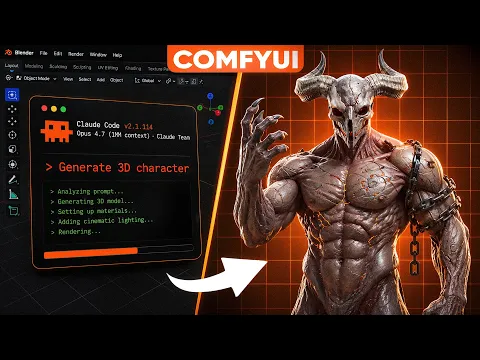
A creator just handed Claude the keys to a full local 3D production pipeline, letting the AI generate props, retopologize a messy mesh, and animate a rigged character, all without a single cloud render or paid subscription. The experiment, run by Philip from the channel Pixel Artistry, connects Claude to Blender and ComfyUI through the Model Context Protocol, and the results suggest AI agents are edging closer to becoming genuine collaborators in 3D workflows rather than just chatbots that talk about them.
What actually happened
Philip linked Claude Desktop to two open-source tools already sitting on his machine: Blender and ComfyUI. Using free local models, Z Image Turbo for image generation and Trellis 2 for turning those images into 3D assets, he asked Claude to build an entire medieval prop kit, clean up a rough AI-generated mesh, and even choreograph animations for a rigged character. No cloud compute, no subscription fees, just Claude directing tools that were already free and already installed.
The setup leaned on Blender’s built-in MCP server alongside a community-built ComfyUI MCP server, both connected through Claude Desktop’s developer settings. Once the two servers were live and Claude could see into both programs, the AI was effectively running the show.
Video of how it did it
Ten props, one prompt
The most striking demo was asset generation. Philip typed a single request: build a ten-piece medieval prop kit for a game level, using Z Image Turbo for concept art and Trellis 2 for the 3D conversion, then arrange everything into a scene. Claude took it from there. It generated concept images, recognized on its own that each one needed to be converted into a model, imported the finished assets into Blender, and kept reporting progress along the way.
That kind of batch generation is the same territory covered in gachoki’s own rundown of AI addons for Blender, which explores how AI-assisted tools are reshaping asset creation inside the software.
Cleaning up the mess AI generation leaves behind
AI-generated meshes are notoriously messy, dense, uneven, and expensive to render. So Philip tested whether Claude could fix that problem too. He imported a rough monster model and asked Claude to merge vertices, correct scaling, and use the Quad Remesher add-on to build a low-poly version before baking the original texture onto it.
Claude handled most of it unsupervised, including asking permission before baking normal and base color maps, and it retained the workflow in memory so future models could go through the same cleanup automatically. The one snag came at the eye topology, where Claude looped without resolving the issue, a reminder that manual fixes still beat AI patience in some edge cases. For readers curious about the retopology side of this, gachoki’s guide to the best Blender add-ons for retopology covers similar ground.
Rigging, retargeting, and five animations from a single prompt
The most ambitious segment paired Claude with Kimodo, a text-to-animation tool, through a newly released Kimodo Blender Bridge add-on. After generating a character with Rodin Gen-2.5 and rigging it using ComfyUI’s SkinTokens workflow, Philip asked Claude to generate five different animations, duplicate the character five times, and retarget each Kimodo skeleton onto the rigged characters using the Rokoko add-on.
Claude inspected the Blender scene, identified the installed add-ons, set Kimodo to 30 fps, and began generating motions from plain text prompts like “a person walks forward.” Retargeting happened automatically through Rokoko. A few animations showed arm clipping, largely because the source character wasn’t in a clean T-pose, but the overall pipeline, from prompt to rigged, retargeted animation, ran with minimal manual intervention.
This kind of AI-assisted animation control connects directly to what gachoki has already covered on AI-powered motion capture, as well as tips for anyone combining and blending imported animations, like the walkthrough on how to combine and blend Mixamo animations in Blender. If you’re building out a rigged character library, gachoki’s breakdown of the best Blender add-ons for character creation is also worth a look.
The catch
Philip was candid about the limits. Generation times can stretch long, especially for batch asset creation, and iterating on results takes patience. His take: this setup makes the most sense for people without a lot of spare time who want to prototype a pipeline, or for anyone deliberately building a personal library of Claude-remembered workflows they can reuse later. It is not yet a replace-your-entire-process solution, but as a research and prototyping assistant sitting on top of tools artists already use, it clearly earns its place. For a broader look at where AI fits into the animation pipeline, gachoki’s primer on AI core concepts explained is a useful companion read.
Curious What Claude Can Automate in Your Own Pipeline?
If this experiment has you eyeing your own Blender setup, the good news is you do not need a render farm or a subscription to start testing AI-assisted workflows. Start small: try connecting one tool through MCP and see what Claude can actually do with it. Got questions about setting this up, or curious how it compares to other AI 3D tools? Drop a comment below, and while you are at it, check out gachoki’s other tutorials on Blender add-ons and animation techniques to keep building out your toolkit.

What do you think?
Join the Conversation