Step 1: Download and install fSpy image camera matching software to your computer
fSpy is a cross-platform app for quick and easy still image camera matching
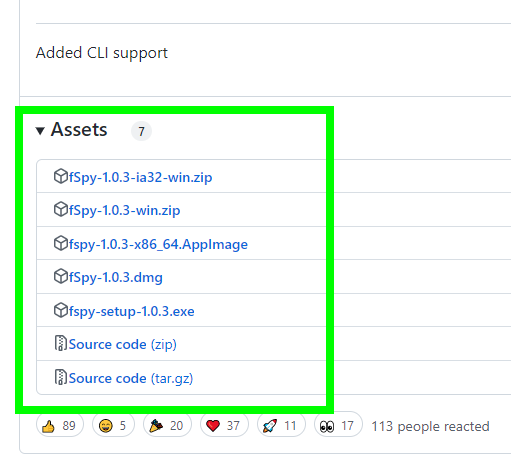
- Download the latest version of fSpy from GitHub. There are several different versions available for download. Download the one compatible with your operating system
- Unzip it and run it by double-clicking on the fSpy file
Step 2: Camera calibration and matching

- Drag and drop your image from the File Explorer window into the fSpy app
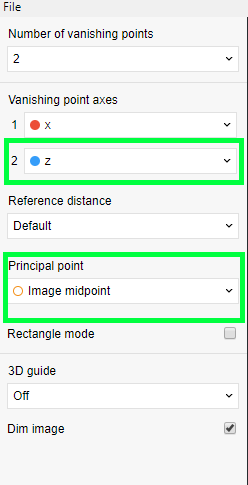
- Set the second axis on fSpy to Z so that its Z-axis orientation is the same as Blender. Set the Principal point according to your image’s midpoint
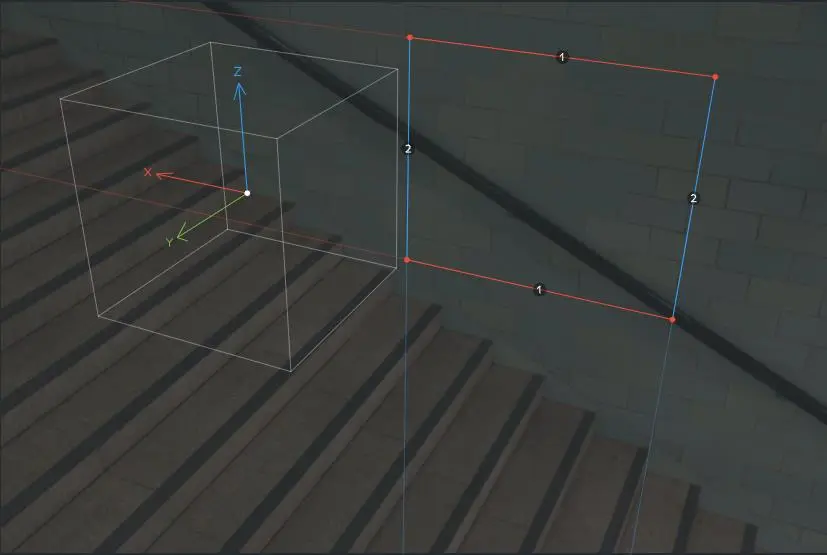
- Drag the Z-axis lines (blue in color) to follow vertical lines on the image, for example along the vertical edges of walls depending on your image
- The red lines follow the horizontal vanishing point of the image. For example, a path or road
- After you finish setting up the lines, save the file to your computer. We’ll use it in the next step
Step 3: Download and install fSpy addon to Blender
- Download the latest version of fSpy Blender addon from GitHub
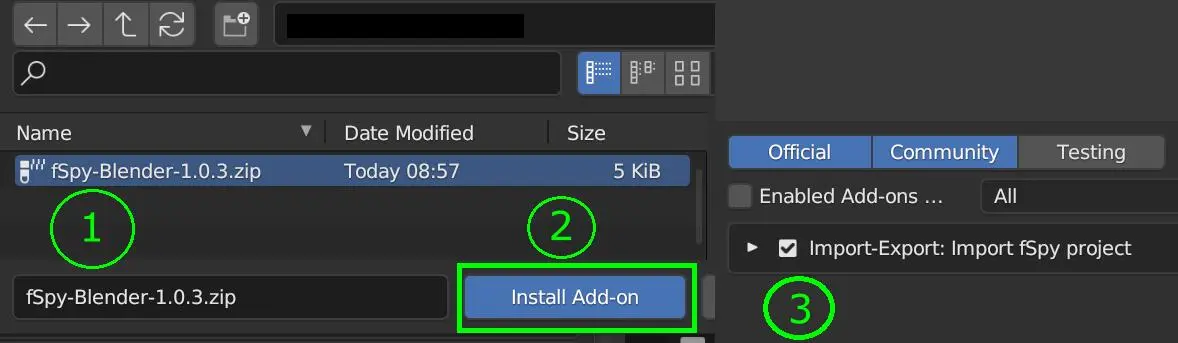
- Do not unzip it. Install it from Blender’s user preferences window and activate it as any other Blender addon
Step 4: Import the fSpy file you saved in Step 2 into Blender
- Open Blender
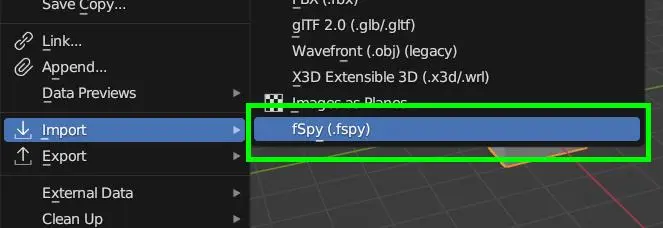
- On Blender’s header menu, go to File > Import > fSpy (.fspy)
- fSpy addon will create a camera with all the recreated camera properties. It will also import the image you used in Step 2 as a background
- Please note that the scene units in Blender will be set to whatever unit was selected in fSpy. The clipping distances might need to be adjusted for both the view and the camera
- Now you have a practical foundation for modeling the mesh with the help of the image reference