Wrap Your 3D Model in Realistic Plastic with Blender’s Shrinkwrap Modifier

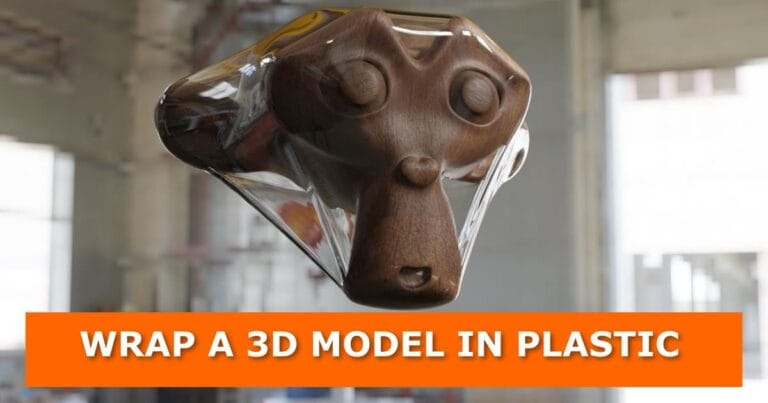
In this tutorial, you will learn how to wrap 3D models in a plastic material using Blender. Follow these steps to get a realistic plastic look. Let’s get started!

Step 1: Wrap your 3D model

Wrap your 3d model with a sphere in blender
  • Add a UV Sphere and position it in the middle of your model.
  • Scale up the UV Sphere until it covers your entire 3D model.
  • With the UV Sphere selected, add a Shrinkwrap modifier.
  • In the Shrinkwrap modifier panel, select your 3D model as Target.
  • Increase the offset until the sphere covers the entire model.
  • Add a Solidify modifier and slightly adjust the Thickness value to your preference.
  • Add a subdivision surface modifier with two subdivisions for smoothness.
  • Apply smooth shade by selecting the sphere/wrapper and go to Object > Shade Smooth.

Step 2: Add plastic material to your wrapper

  • Select the wrapper and create a new material.
  • Set up your material nodes as shown in the image below
Plastic material node setup in blender

Download the project file with the plastic material

If you find setting up the material a bit difficult, click here to download the project file for this tutorial. Then append the plastic material to your project.

The video tutorial

YouTube video
Video Tutorial on How To Wrap a 3D Model in Plastic in Blender
Subscribe

Share this Post

Facebook
x
LinkedIn
Reddit

About the author

E. Gachoki

Gachoki is a professional animator, VFX artist, and Blender developer with over 10 years of experience in creative production and technical development. Founder and lead creative director at Gachoki Studios (established 2015), Gachoki specializes in animation, visual effects, Blender addon development, web design, and AI-driven creative workflows. His work has been featured in commercial animation projects and educational content across East Africa. Gachoki holds certifications in 3D animation and digital marketing, and regularly publishes technical tutorials on animation software optimization.

Ask a Question

Subscribe
Notify of
guest

0 Comments
Oldest
Newest Most Voted
Inline Feedbacks
View all comments

Related Posts