A Multiplayer AI World Model, Free Retopology, and Eight Other Things That Just Changed 3D

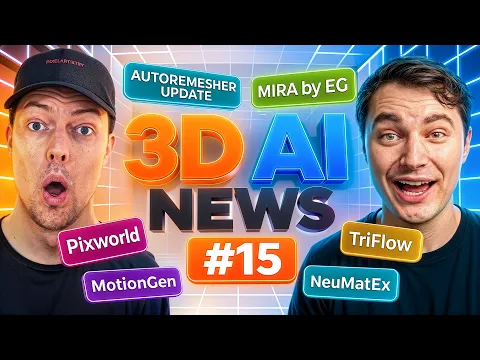
This week’s biggest 3D AI news is that Epic Games quietly released a playable, multiplayer neural world model you can test right now, alongside a free retopology tool finally hitting version 1.0 and a wave of research aimed at fixing the ugliest problem in AI-generated meshes: garbage topology.
AI can already spit out a rough 3D model in seconds. The problem has always been what is underneath the surface, messy, unusable topology that no artist actually wants to touch. This week’s drops start to change that math, and a few of them are things you can go try right now, for free, today.
Epic Games Shipped a Multiplayer AI World Model, and You Can Play It
Yes, Epic Games. Not a research lab side project, Epic Games. MIRA is a neural world model that generates real-time video you can actually control, and unlike almost every world model demo before it, this one supports multiplayer. Press forward, back, forward, back, and the model follows your input with noticeably less lag and more consistency than earlier world models. If a second person joins your session, you can move around inside the same generated world together in real time.
The paper, demo, and code all released together, just four days before this roundup, which is unusually generous for something this new. If this is even a rough preview of where interactive world models are headed, it is worth trying the live demo yourself to see how it feels.
AutoReMesher Just Hit Version 1.0, and It’s Free
AutoReMesher has quietly been around for about four years, but this update is the one that matters: version 1.0, released under an MIT license, meaning you can run it locally for free with no subscription and no cloud dependency. It is also noticeably faster this time around, retopologizing a mesh in a matter of seconds while cleanly extracting detail-heavy areas like eyes, nose, and mouth.
There is already a Blender bridge add-on for it, letting you set your target quad size, adaptivity, and edge scaling right inside Blender. If retopology has ever been the part of your pipeline you dread, this is worth a look, especially paired with clean starting geometry. Getting your curved surfaces right and your UV unwrapping sorted before you retopologize will always save you cleanup time on the other end.
TriFlow Wants to Give AI Meshes Artist-Like Topology
TriFlow is a new research paper tackling one of the most persistent complaints about AI-generated 3D: the topology never looks like something a human artist would actually build. TriFlow claims to reconstruct meshes with artist-like edge flow, and the example meshes shown do look genuinely optimized, though not flawless, a few odd spots are still visible if you look closely. Paid generators already produce comparable, sometimes slightly better, low-poly results.
The real question is what happens when the code actually releases. How much VRAM will it need, will it run locally, and how much control will you get over level-of-detail settings. Until then, it is one to watch rather than one to use.
A New SIGGRAPH Paper Might Finally Fix Blocky AI Mesh Surfaces
If you have ever generated a 3D shape with an AI tool and noticed stair-stepped, blocky surfaces, that is a byproduct of marching cubes, the standard method most generators use to build a mesh from a signed distance field. A new paper on dual contouring of signed distance data, headed for SIGGRAPH 2026, produces dramatically smoother, cleaner results by rethinking that reconstruction step entirely.
Someone has already built a Windows version of it, which means a ComfyUI setup is realistic in the near future. Early tests show it generating clean results in just seconds using mostly CPU power rather than GPU, and in some cases producing cleaner output than established models like Trellis.
NVIDIA’s Neural Materials Understand Surfaces, Not Just Textures
NVIDIA’s latest research introduces neural materials, a step beyond standard PBR texture work. Instead of just outputting an albedo texture, the system reads and understands material properties directly and encodes them as a latent texture the renderer can interpret on its own. It is not something you can open up and edit by hand, it is information the AI itself understands and applies.
The demoed results, especially on tricky materials like layered clearcoats with dust and fuzz, look convincing. The open question is accessibility: how much compute this needs and how difficult it will be to actually integrate into a normal pipeline. If you are curious how far manual re-texturing has come in Blender in the meantime, it is worth comparing against ways to re-texture a scene without re-rendering it.
PixWorld Pushes Gaussian Splat Generation Further
PixWorld is a new 3D scene generation tool built around pixel-aligned Gaussian splats, and the output quality is a noticeable step up in sharpness compared to other splat-based generators. It supports both text-to-3D and multi-image reconstruction, letting you feed it several images of a scene and reconstruct it in 3D from there. If Gaussian splatting has felt like a niche technique so far, tools like this are a sign it is becoming a serious generation method in its own right.
VARCO 3D 2.0 Brings Multi-View Generation and a Distinct Style
NCSoft’s NC AI division rolled out VARCO 3D 2.0 after a long gap since its last update, and the new version reworks the site into something far more intuitive to use. It adds multi-view generation, adjustable poly counts, and texture resolution up to 4K. Early testing shows real improvement, though a few rough edges remain.
The standout trait is style. VARCO 3D leans noticeably more stylized than a model like Hunyuan, particularly with hand-drawn or cartoonish input, making it a solid option if your pipeline leans anime or illustrative rather than photoreal.
A New Open-Source Motion Capture Add-On Handles Moving Cameras
A new open-source motion capture tool for Blender is drawing comparisons to Nvidia’s Kimodo, and for good reason: it produces clean AI-driven motion tracking directly inside Blender through an add-on. What sets it apart is that it holds up with a moving camera during capture, most tools in this space have historically required a completely static shot to get usable results.
If you are planning to pair AI-driven mocap with dynamic camera work, it is worth brushing up on your own camera fundamentals first, whether that is learning to orbit a camera around a subject or setting up a shot where your camera follows multiple paths at once.
NVIDIA TRON Wants to Relight Gaussian Splats
3D Gaussian splatting has been missing two big things for production use: proper PBR material support and the ability to relight a scene naturally. NVIDIA’s newly announced TRON, short for tracing rays to orchestrate a neural render, targets exactly that second problem. The showcased results let a splat scene respond convincingly to new lighting and environments, something that has been a major blocker for using 3DGS in games or film.
The code has not been released yet, but if research support for 3DGS keeps accelerating at this pace, using Gaussian splats in real production pipelines by the end of the year is looking increasingly realistic. If lighting is where your own Blender scenes tend to fall apart, a refresher on some core Blender lighting techniques pairs well with keeping an eye on where 3DGS relighting is headed.
Rodin Is Building an AI Rigging Tool for More Than Just Humans
Rodin announced it is developing a new rigging tool for its Gen-2.5 pipeline, and the interesting part is scope. Most AI rigging tools so far have focused almost entirely on humanoid characters. Rodin’s version is aiming to rig props too, tanks, robots, and mechanical objects with moving parts like spinning wheels, opening up AI-assisted rigging for a much wider range of animation work.
Watch the Full Roundup
What to Watch Next
Between a playable multiplayer world model, a free retopology tool hitting 1.0, and this much movement on mesh quality, materials, and lighting all in a single week, the AI 3D space is clearly not slowing down. A lot of what is here is still research-stage, no public code yet for TriFlow or TRON, but the pace at which code and demos are following the papers is getting faster.
Which of these are you most excited to actually get your hands on? Let us know in the comments, and check back soon, we will be testing several of these tools hands-on as they release.

What do you think?
Join the Conversation